Eslam Trades
Journal
The journal I use for my own futures trading. Log a trade in seconds, attach your chart screenshots, and see in R where your edge is and what keeps costing you. Your data stays on your computer.
الجورنال اللي أنا شخصياً بستخدمه في تداول الفيوتشرز. سجّل صفقتك في ثواني، حط سكرين شوتس، واعرف بالـ R فين الإيدج بتاعك وإيه اللي مخسّرك.
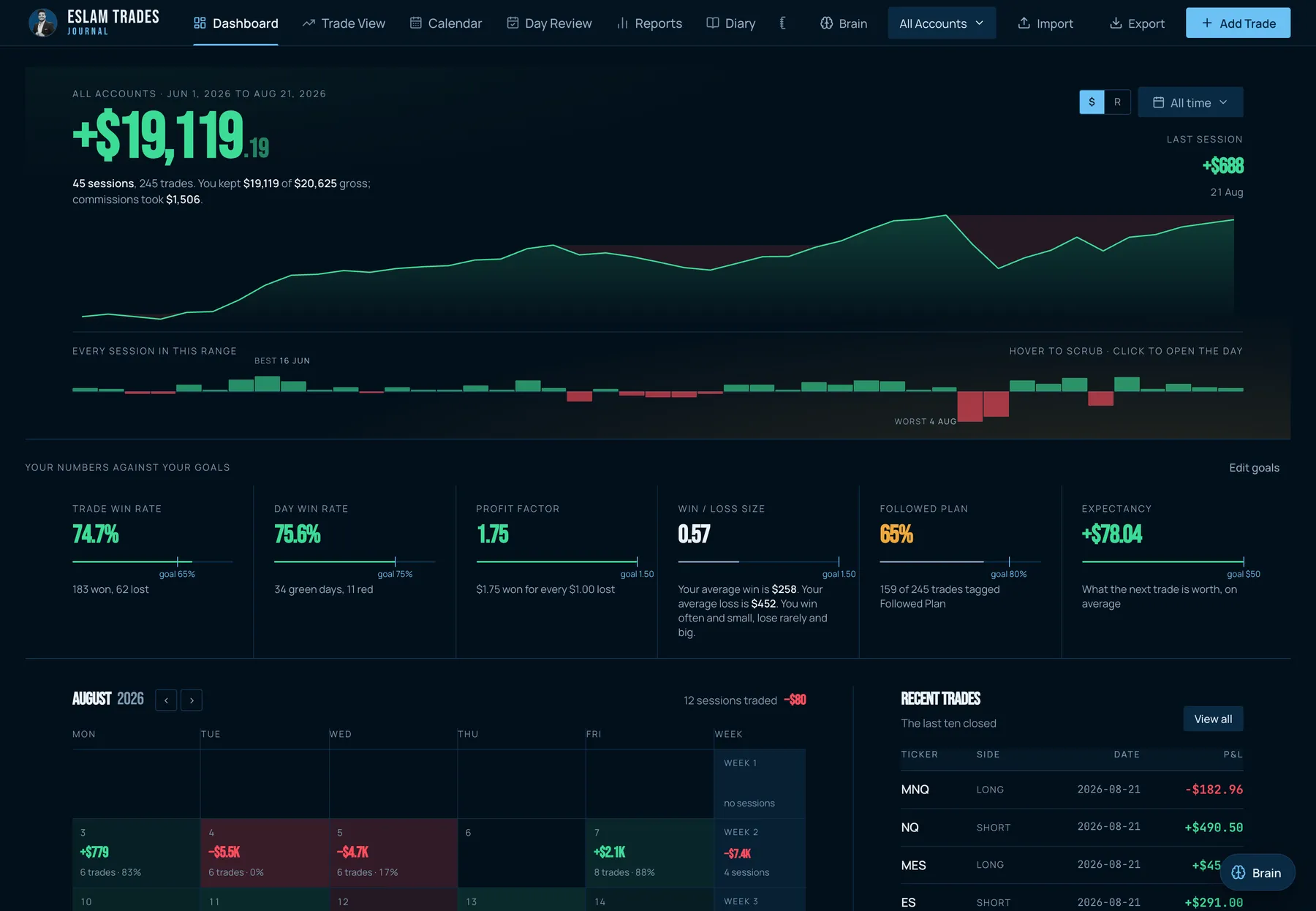
Screens shown with sample data.
Built for futures traders
- NQ, ES and the microsPoint values built in. Enter entry, stop, target and partial exits; P&L, risk and R are calculated for you.
- Everything in RSwitch the whole dashboard from dollars to R. Win, loss and break-even are tracked separately.
- Screenshots on every tradePaste with Cmd/Ctrl+V or drop images in. Scroll through them full screen.
- Notes that write themselvesA ready template for every trade: why you entered, what was missing, how you felt.
Find your edge and your leaks
- Time of day, every 15 minutesLondon, the New York open, the afternoon: see exactly when you make and lose money.
- Mistakes, emotions, setupsTag a trade with one click. See what "Moved Stop" or "Revenge Trade" really cost you.
- Weekly and monthly reviewsGuided questions, the stats for the period, and your trades linked in.
- Ready for AIExport any period with every detail and ask ChatGPT or Claude for a coaching review.
How buying works
- Pay
USDT on the TRC20 (TRON) network. Address and QR code below. - Send the form
Paste the transaction hash (TxID) so I can match your payment. - Get your key by email
Once I confirm the payment you get your license key and download links for Mac and Windows.
Payment details

Order received
Check your inbox (and spam folder). Questions? Reply to that email.
Questions
Does it work on Mac and Windows?
Yes. You get both downloads. Mac needs an Apple Silicon Mac (M1 or newer) on macOS 12+; Windows needs Windows 10 or 11.
Where is my data stored?
Only on your computer. Nothing about your trades is uploaded anywhere. Activation needs internet once.
On how many computers can I use it?
Two. You can deactivate it in Settings on one computer and activate it on another.
Is the AI included?
The journal, stats and exports work fully without AI. The built-in AI coach uses your own Anthropic API key, which you pay for per use. Or export your journal and upload it to any AI chat you already use.
Can I import trades from my broker?
You log trades in the app (it takes seconds) and there is a CSV import for Thinkorswim, Interactive Brokers and a generic template. Tradesea / Rithmic import is coming.
Is it a subscription?
No. You pay once and keep the version you bought.
Can I get a refund?
No. It's a one-time digital purchase, so once your licence key is sent the sale is final. Look through the screenshots and ask me anything before you buy. See the refund policy.